PvP
Change Shipping Container Color without Spray Can
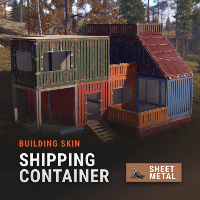
Use a built-in game feature to reset your default shipping container color without paying for a spray can.
Console Command
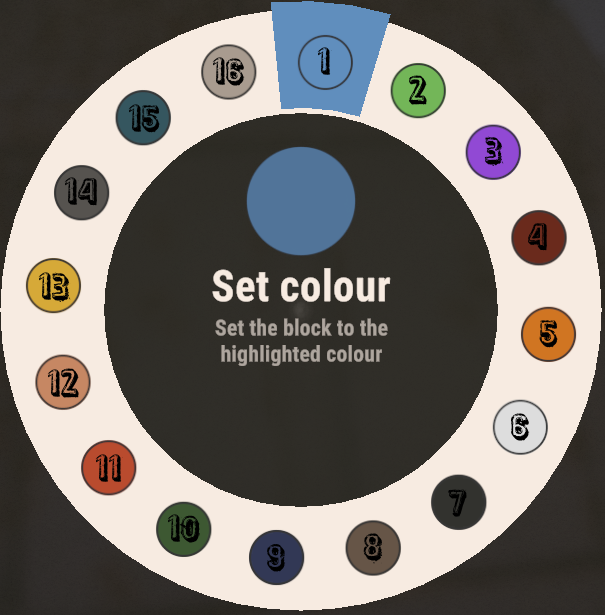
Select a color from the 2nd section of the guide, and replace [number] with your desired color!
Save yourself 100 metal frags for crafting a spray can.
Save yourself 100 metal frags for crafting a spray can.
client.selectedshippingcontainerblockcolour [number]Color Codes
0 - Random
1 - Light Blue
2 - Light Green
3 - Light Purple
4 - Dark Red
5 - Orange
6 - White
7 - Black
8 - Brown
9 - Dark Blue
10 - Dark Green
11 - Light Red
12 - Beige
13 - Yellow
14 - Dark Grey
15 - Dark Turqoise
16 - Light Grey
1 - Light Blue
2 - Light Green
3 - Light Purple
4 - Dark Red
5 - Orange
6 - White
7 - Black
8 - Brown
9 - Dark Blue
10 - Dark Green
11 - Light Red
12 - Beige
13 - Yellow
14 - Dark Grey
15 - Dark Turqoise
16 - Light Grey
Closing Notes
Thanks for reading this guide, I hope it's helpful, and saves some of your time.
Комментарии 0
Войди через Discord, чтобы комментировать